
Features
What VOLUME VOLUME does today. Testing is by invitation and free. Each line says who can use the feature and where it stops.
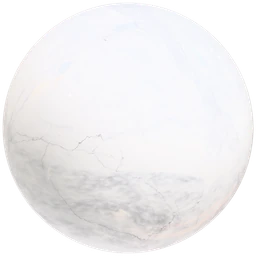
Carrara
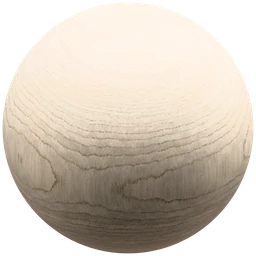
Sycamore
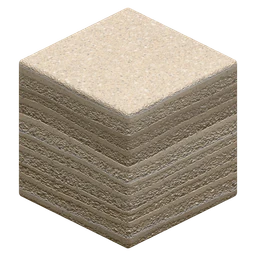
Pale sand lifts

Nero antico
Materials and Explore
Each material is a volume. Colour and structure run through the whole solid.
Explore
Browse a table of material previews and open a sheet for each one. Every image is our own render.
Open to everyoneCut from a volume
The size, position and orientation of your object decide which cut of the volume you see.
Open to everyoneStone, timber, earth and plywood
The catalogue also holds uniform and patterned surfaces. Each material is labelled with what it is. Your invitation sets which ones you can open.
Invited testingSearch and favourites
Search the catalogue and keep the materials you want to come back to.
Invited testing
Material Studio
Choose a material and an object, then change the controls that material carries.
Try Material Studio
A simple version runs in your browser without an account. Rotate a sample, change its shape and set its roughness.
Open to everyoneObjects
Put a material on a reference object and look at the cut it gives.
Invited testingMapping
Set where the object sits in the material block: offset in metres, rotation, tilt, scale and bedding direction.
Invited testingPattern and colour
Move veins, bands, rings or knots, and shift warmth, contrast and variation. Only materials that carry these controls show them.
Invited testingFinish
Pick a named finish. Adjust shine, coat and wear where the material supports it.
Invited testingVolume composition
Build a material as one continuous volume, or from boards, sheets, blocks or courses, for the materials that support it.
Invited testingResolution
Bake the maps in your browser at 1K draft or 2K. 4K is off unless you switch on Pro mode.
Invited testingLighting and render
Light the object with an environment and lights. View it fast or ray traced.
Invited testingPresets and projects
Save a material with your settings, reopen it later and keep it in a project.
Invited testingMaterial palettes
Group materials in a palette and see them together on a 3D layout.
Invited testingFeedback
Send a note from inside Studio while you test.
Invited testing
Many materials carry only the cut offset and the finish. Studio shows the controls each material has and no others.
Baking, export and plugins
The runtime turns a material into maps on your own device.
Local bake
A material is a small file. The runtime bakes it into maps in your browser.
Invited testingDownloads and export
Material downloads and exports to other applications are outside the first test.
Not in testingBlender plugin
The Blender plugin exists. The invited accounts are web only, so it is not part of testing.
Not in testingOther applications
Rhino and other hosts are not open to testers.
Not in testing
Agents
Each control has a name and a range, so a person or an agent can read it and set it.
AI Handover
Copy the settings of the open material into your agent. Import the file it returns and review every change.
Invited testingNamed controls
Every control has an ID, a unit and a range. The agent reads the same values you do.
Invited testingAgent Recipes
Written briefs for tasks such as comparing two finishes, inside Material Studio.
Invited testingAgent instructions
A plain text file that an agent can read before it touches a handover.
Open to everyoneNo generated materials or images
No image model runs on a material or a bake. Every picture on this site is our own render.
Open to everyone
An agent adapts presets of materials that exist. It cannot add a material to the catalogue. Connected services and installable agent tools are outside the first test.